One job, start to finish.
Oliver Miller's RAV4 Hybrid, one Wednesday at the practice workshop, followed through the real screens up close.
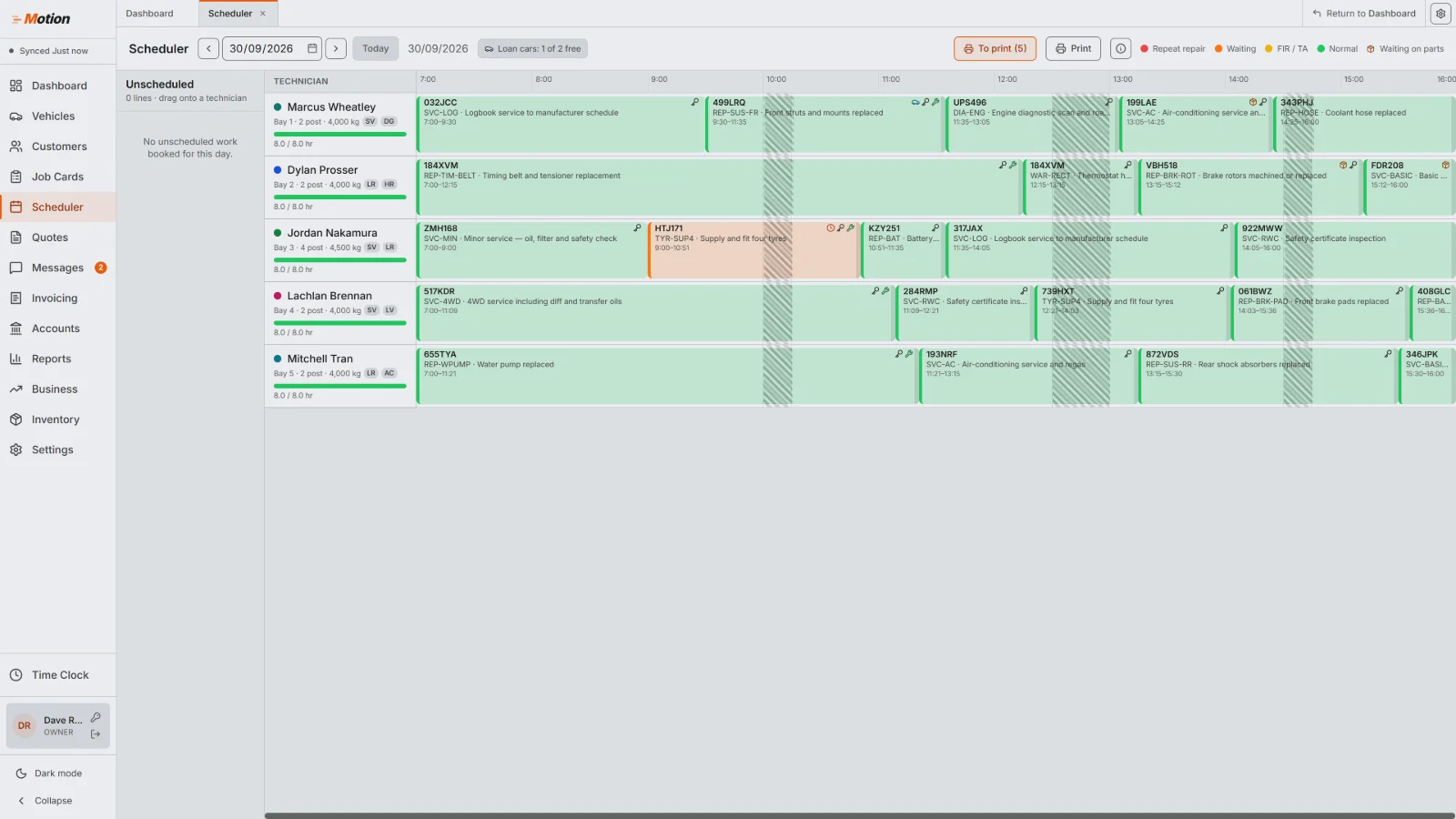
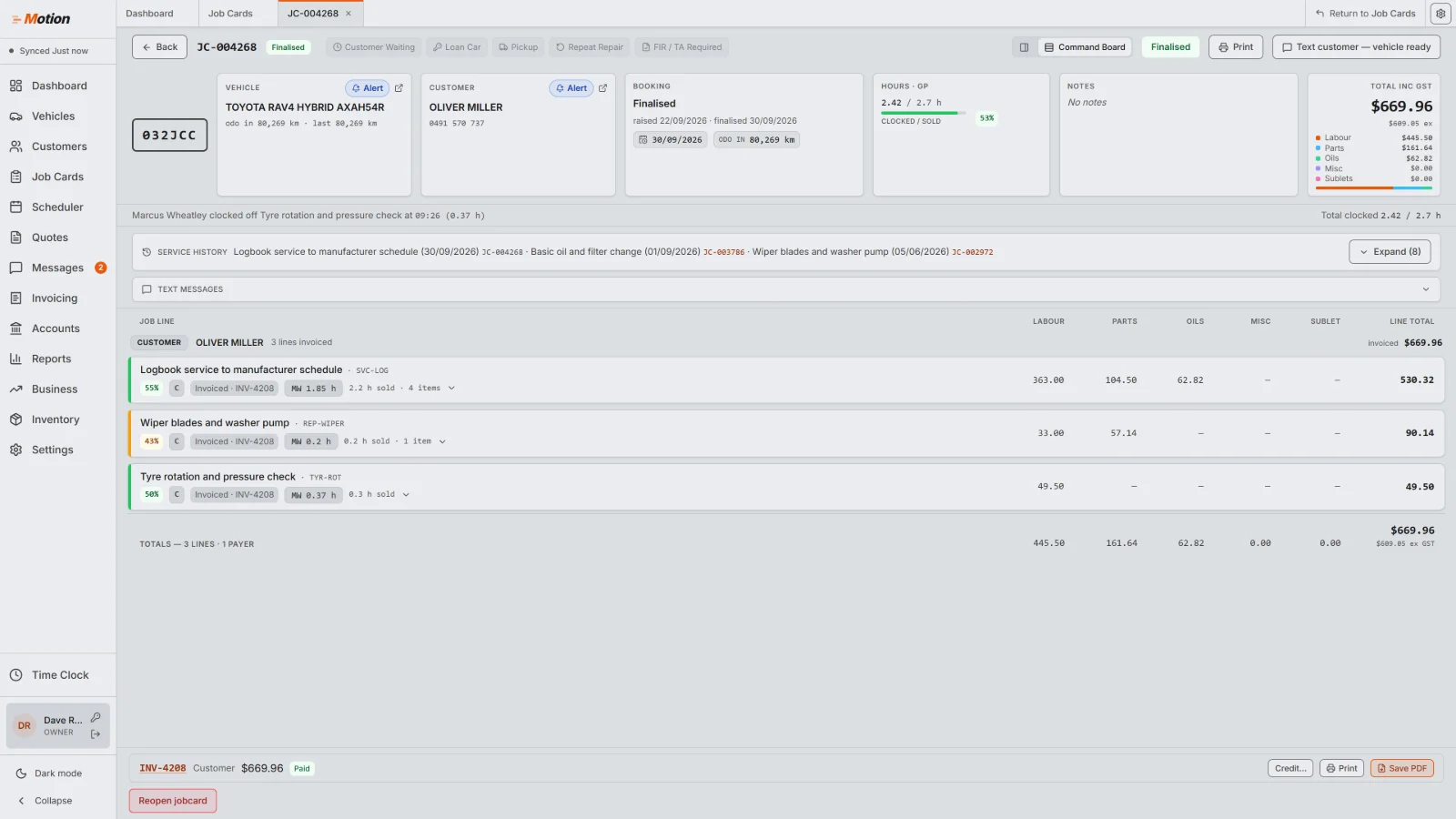
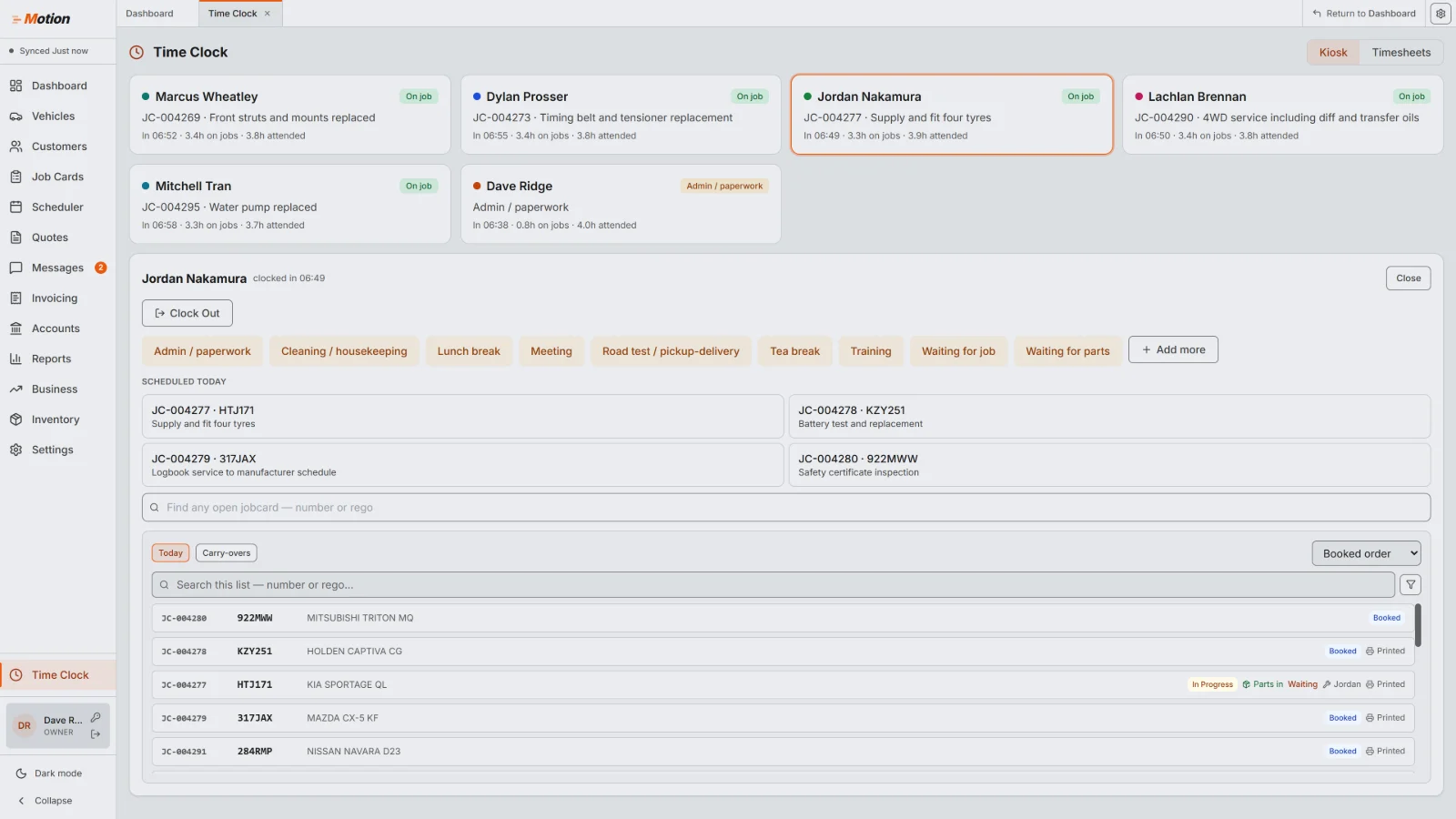
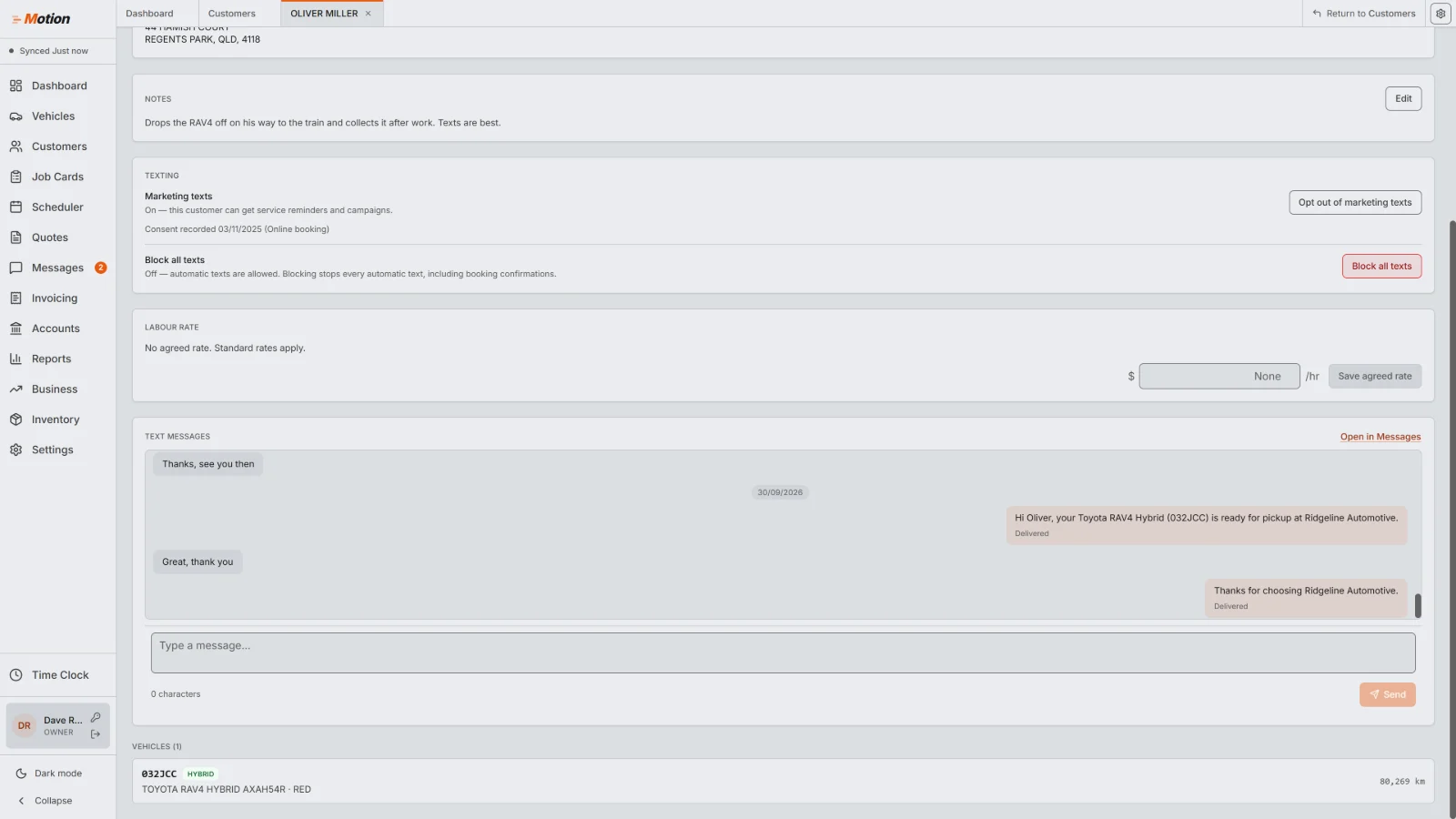
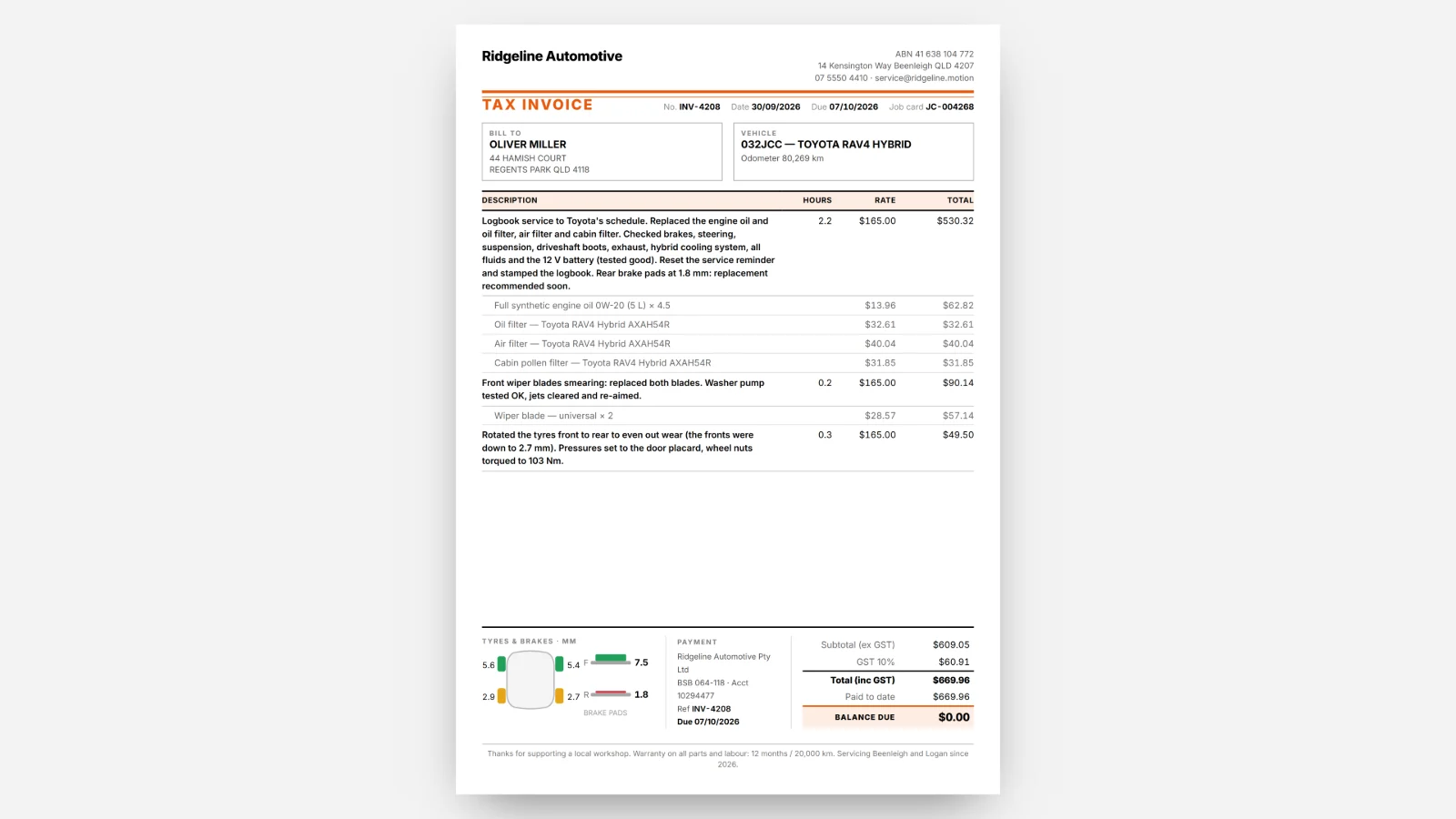
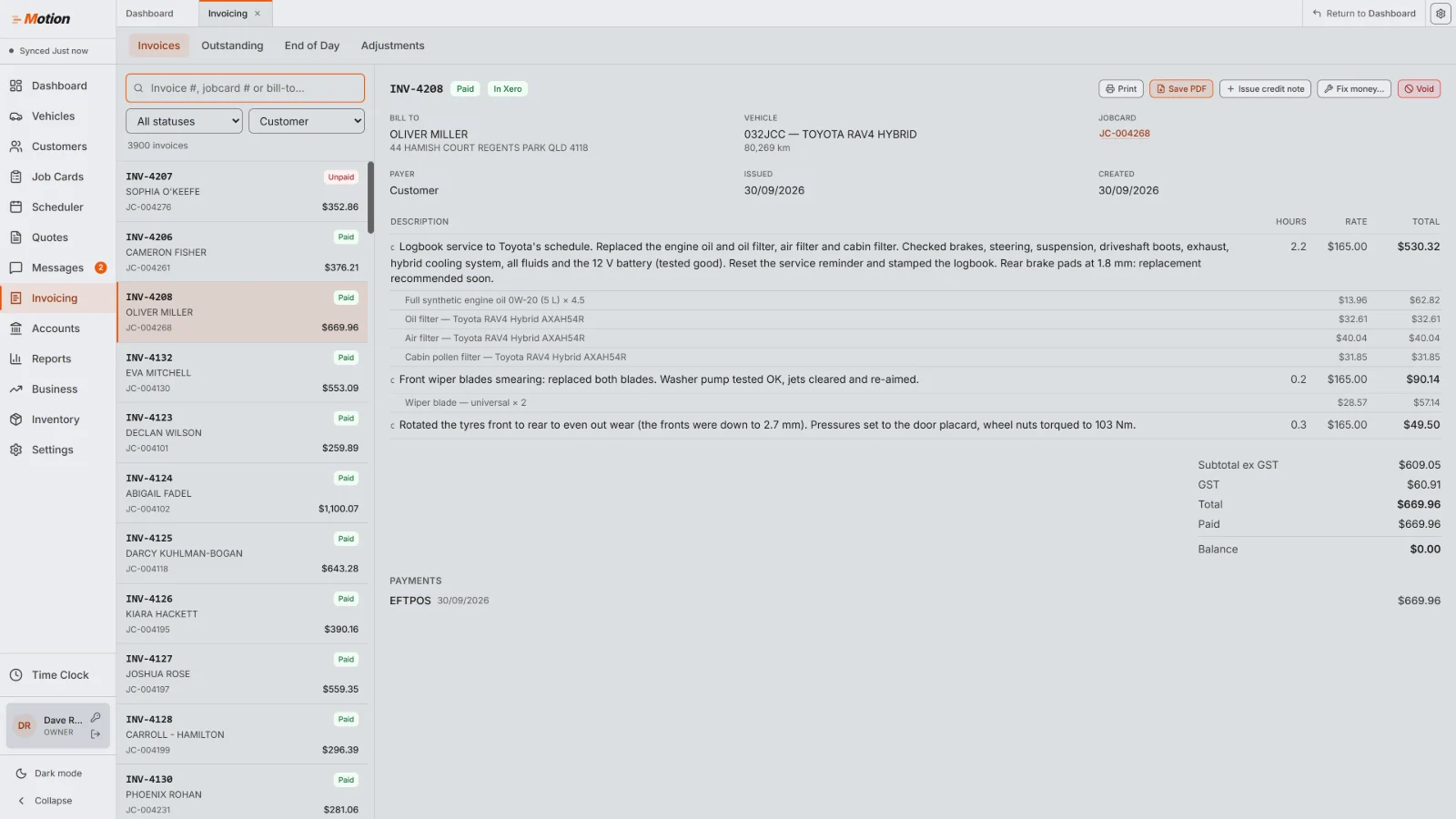
Real screens from a practice workshop. The names and numbers are fictional.
Automotive workshop management software for independent Australian workshops. Job cards, scheduling, invoicing and customer texts in one fast Windows app, with every record kept on your computers so you can still look things up when the internet drops.
Motion launches Q1 2027, every plan at once.

We timed Motion on a practice workshop holding a full year of work: about 4,200 invoices and 1,000 customers.
Motion is automotive workshop management software for independent Australian workshops, designed by a working workshop service manager. Every click has to earn its place.
Made by PXD Software (Performance x Design) in Australia.
Everything the workshop runs on. Fast, and built for Windows.
Labour, parts and notes in one workspace, lines grouped by who pays.
Send it, get the yes, turn it into a job card without retyping.
A day board of labour chips for each technician, with capacity at a glance.
Every customer and car keeps its history, notes and pop-up alerts, with automatic reminders, a two-way text inbox and campaigns built in.
Reminders go out on their own, booking confirmations and vehicle-ready texts wait for your click, and replies land in a shared inbox.
Build campaigns that match cars by make, model, year or kms and suggest the right job at booking. Create op codes with vehicle-fit rules, preset parts and charges.
Technicians clock on to jobs; hours export for payroll.
Deposits, split payments, credit notes and end-of-day cash-up.
Stock, ordering, receiving and stocktakes.
Parts not ordered by the supplier's cut-off, oil under its minimum, car and customer alerts at booking, and a car that won't fit a bay's hoist. Flagged before they hold up a job.
Payables, petty cash and your asset register.
Seven reports that print and export: sales, gross profit, expenses, WIP and debtors, technician performance, a BAS summary and an accountant pack. Plus a monthly scorecard against your own targets.
KPI tiles, monthly targets and how you're pacing.
Bays on the board, the free loan cars when you book, agreements printed in a click.
Rego lookup fills in the car from the plate. Invoices and payments sync to Xero, with MYOB to come. Repco and Burson service data is coming, with more suppliers to follow.
Five access levels from Owner to Technician, and 20 settings you can tick for each person. Every change is logged, and owners and managers sign in with two-factor.
Five accent colours, light or dark mode, three invoice styles, two job card layouts, your own job statuses and the sidebar in your order.
Oliver Miller's RAV4 Hybrid, one Wednesday at the practice workshop, followed through the real screens up close.
Real screens from a practice workshop. The names and numbers are fictional.
Every customer and car keeps its history, notes and alerts. Motion texts booking confirmations and reminders from templates you can edit. Replies land in a two-way inbox with an unread badge and delivery status.
Pick customers by last visit, vehicle make, suburb or postcode, and watch the audience and cost update before you send.
Set one up for a make, model, series, build years or km window, and Motion suggests it the moment a matching car is booked.

Built for the front counter
at 7:30 on a Monday.
Every list opened in under half a second, and no screen froze for longer than 0.8 of a second.
13 clicksto book a service and confirm it: Job Cards, New Job Card, type the rego, Start Job Card, add the line, Schedule, drag it onto a technician's day, then Finalise booking and Send text.
Internet down?
Your workshop stays in Motion.
Every computer keeps its own encrypted copy of your workshop, and a change on one shows on the others in about a second. If the internet drops, the essentials keep going: write and edit job cards, finalise invoices, run the scheduler board, and look up any customer or car. Everything catches up the moment you're back.
It's quick because the work happens on your own computer, and it keeps going because your records are there too. Payments and sending texts wait for the connection.
About 1 sfor a change to show on your other computers.
Easy from
day one.
A setup wizard gets you started, and a settings gear on each screen puts that screen's options one click away.
Explain any button. Right-click any button for a plain-English explanation, with more help a click away. Anyone can use Motion with confidence.
569controls covered.
The details you'd only notice if they were missing.
Spell check in Australian English. Spelling mistakes get underlined before they reach a customer. It never autocorrects, and never leaves your computer.
Y, D and T. In any date box press y for yesterday, d for today or t for tomorrow. Every second counts.
Module tabs. Every screen opens as a tab and stays where you left it. No loading between screens, easy multitasking.
PIN switching. Staff share a computer and swap in with a 4-digit PIN.
Rego lookup. Type the plate, press Enter, and make, model, VIN and engine fill in. Lookups at an additional cost per search.
Customer and vehicle alerts. Red alerts and amber notes pop up before you book. Impossible to miss.
Suggested for this vehicle. A matching service campaign, service due by date or kms, work that was quoted but never booked, and last visit's notes, right on the job card.
Loan car availability. See how many loan cars are free while you book. A clash shows red before it happens.
Technician skills. Skill tags on each technician's lane show who suits the job.
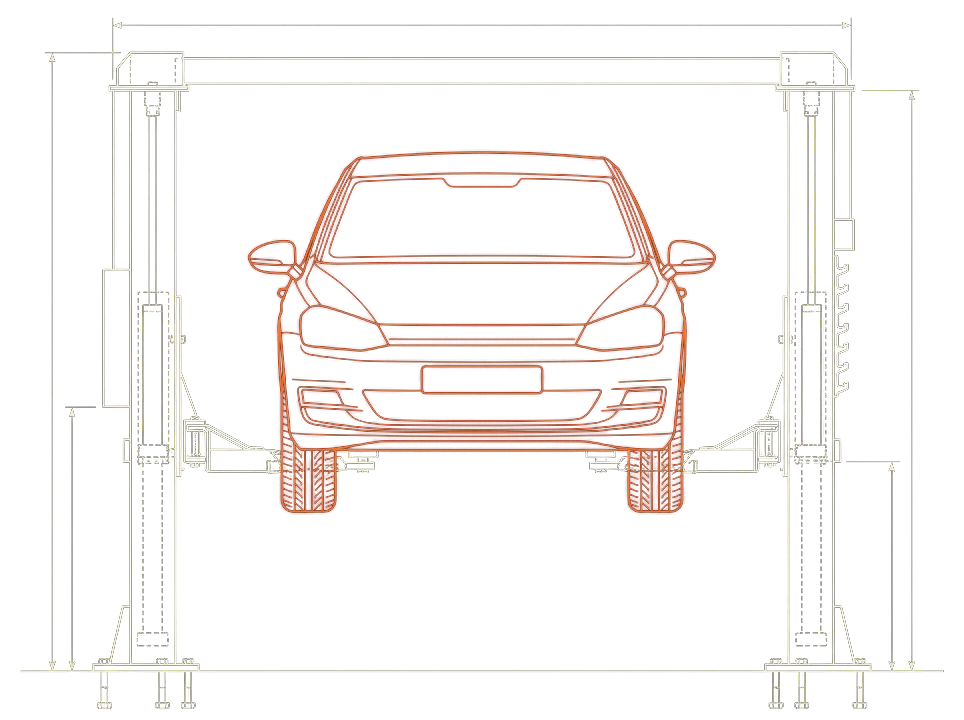
Hoist load warnings. Motion warns when a car is too heavy for the hoist it's booked on, using the car's weight and your hoist's rated capacity.
4-post only. Flag a car and the scheduler warns you before it's booked onto the wrong hoist.
Brake and tyre readings. Tread and pad measurements get their own colour-coded spot on the invoice.
Dashboard to-do list. A shared list with due dates for the whole team. Nothing gets forgotten.
Activity log. See who changed what, and when.
Switch without re-keying your history.
Every customer and vehicle comes with you.
Motion's migration tool brings your customers, cars, suppliers, parts with stock on hand, and every invoice with its lines and payments across from Mechanic Desk or Workshop Software. Your invoice numbers carry straight on. When you switch, we load a trial on your own data first, so you can look around before you commit.
The guides show how.
Usually within a day or two.
We reload a fresh export and you carry on.
Motion can help any workshop switch, whatever it runs on today. Imports already exist for Mechanic Desk and Workshop Software. Auxo Workshop and Workshop Mate imports are coming. Tell us what you use now.
Customers book in online, any time. It captures their details, their car, the service it needs and the time slot they want, so you don't have to do a thing.
GoldAt launchTechnicians clock on and off and check a car's service history from their phone, with no walk to the kiosk. Front counter staff and managers can see the scheduler, clockings, reports, the dashboard and every customer and vehicle, wherever they are. More of Motion comes to the phone after launch.
GoldAt launchIf you have a trade account with them, pre-loaded logbook services make creating a service easy, and the recommended oil prints on the job card for your technicians.
ComingMYOB alongside Xero, and more suppliers to come.
ComingThrough EzyParts and Repco.
ComingA licence is for each owner, manager or service adviser. Every technician uses Motion free, as many as you have.
Launching Q1 2027Every plan at once.
| Plan | Small1–2 licences | Medium3–4 licences | Large5+ licences | What it is |
|---|---|---|---|---|
| Bronze | $49.95 single price | One-person workshop, one computer, offline only. | ||
| Silver | $99.95 | $149.95 | Price on request | Everything built today. |
| Gold | $149.95 | $199.95 | Price on request | Silver plus online booking and the phone app. Both arrive at launch. |
| Platinum | $199.95 | $249.95 | Price on request | Gold plus a website for your workshop. It arrives at launch. |
Prices in Australian dollars, per month, including GST. Technicians are always free.
Register your interestTell us a little about your workshop and we'll be in touch as Motion gets closer to launch in Q1 2027. Interested workshops may be offered a pilot place.
Prefer email? [email protected]